
Aluvi's Document API accepts various text-based documents for inclusion in your customer knowledge base.
Quick Start
- Obtain an auth token with your API keys
- See examples or jump into endpoint definitions
API Tokens
All Aluvi document processing requests require an authorization token with the post-docs scope in the Authorization header.
Creating API Keys
API keys are exchanged for temporary authorization tokens that are accepted by the Aluvi API.
User-specific keys can be created at https://app.aluvi.co/#/settings/user/api-keys.
Organization-wide keys can be created at https://app.aluvi.co/#/settings/account/api-keys.
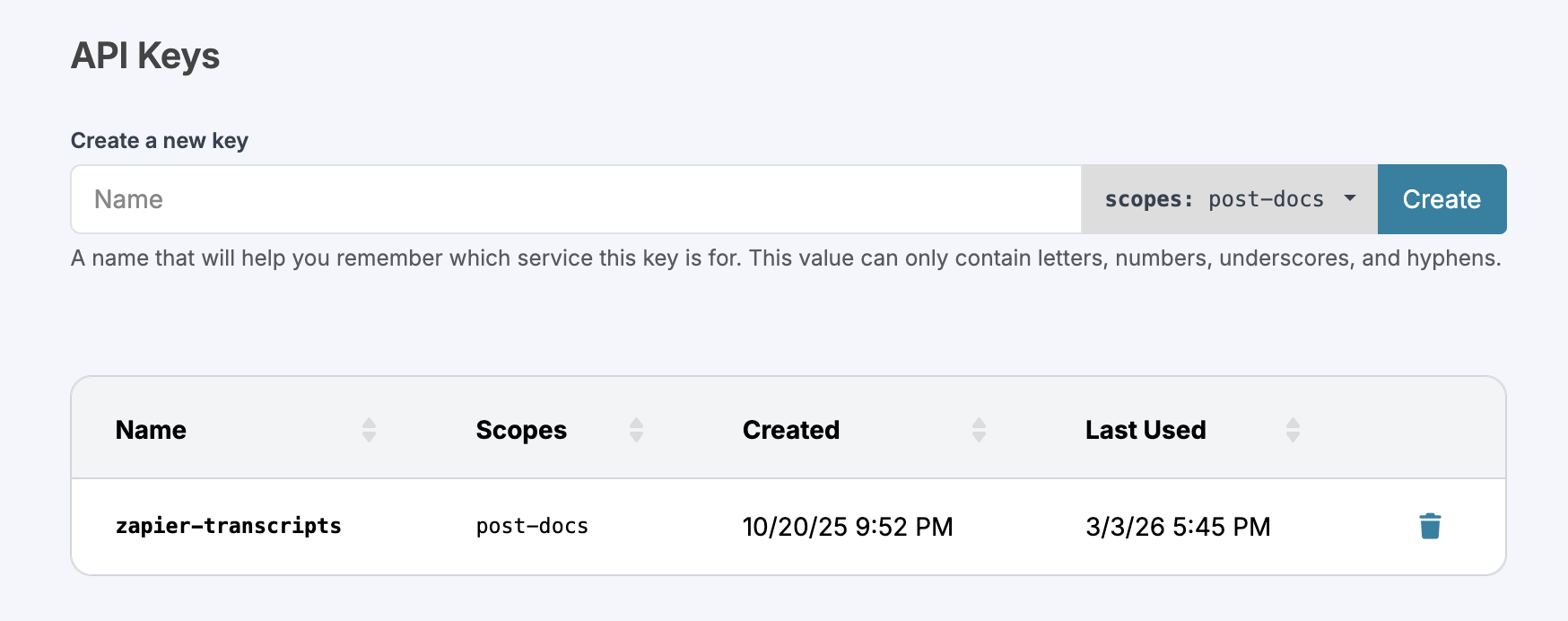
Each token's scopes are inherited from the keys used to create it; make sure your API key includes the
post-docsscope.
Obtaining Authorization Tokens
Every request requires an authentication token in the Authorization header. All endpoints accept both account and user tokens.
Tokens have a generous expiry, which is returned as a timestamp with the token and its scopes. Requests with expired tokens will be dropped silently; use this timestamp to track your token's validity.
Account Tokens
Documents submitted with account tokens belong to that account and no specific user. This is best for integrations like syncing your org's customer knowledge base with Aluvi. When in doubt, use account tokens.
Account tokens are obtained from /api/tokens/account by supplying your API key name and secret.
POST https://api.aluvi.co/api/tokens/account HTTP/1.1
Content-Type: application/json

{
    "key-name":   "acme:document-syncing-key",
    "key-secret": "ABCDEF0123456789ABCDEF0123456789"
}
HTTP/1.1 200 OK
Content-Type: application/json
{
"token": "{{your auth token}}",
"type": "account",
"expires-at": "2026-03-10T10:30:00Z",
"scopes": [
"post-docs"
]
}User Tokens
Documents submitted with user tokens belong jointly to the user that made the request and their parent account. This is best for integrations like pushing in your own call transcripts from your call recorder.
User tokens are obtained from /api/tokens/user by supplying your API key name and secret, along with your email address.
POST https://api.aluvi.co/api/tokens/user HTTP/1.1
Content-Type: application/json

{
    "user-email": "[email protected]",
    "key-name":   "aluvi-granola-transcript-key",
    "key-secret": "ABCDEF0123456789ABCDEF0123456789"
}
HTTP/1.1 200 OK
Content-Type: application/json
{
"token": "{{your auth token}}",
"type": "user",
"expires-at": "2026-03-10T10:30:00Z",
"scopes": [
"post-docs"
]
}Required Fields
Customer Tagging
Tag each document with ONE of the following (checked in order; the value must already be set on this customer in Aluvi):
-
crm-id– Your system's ID for this account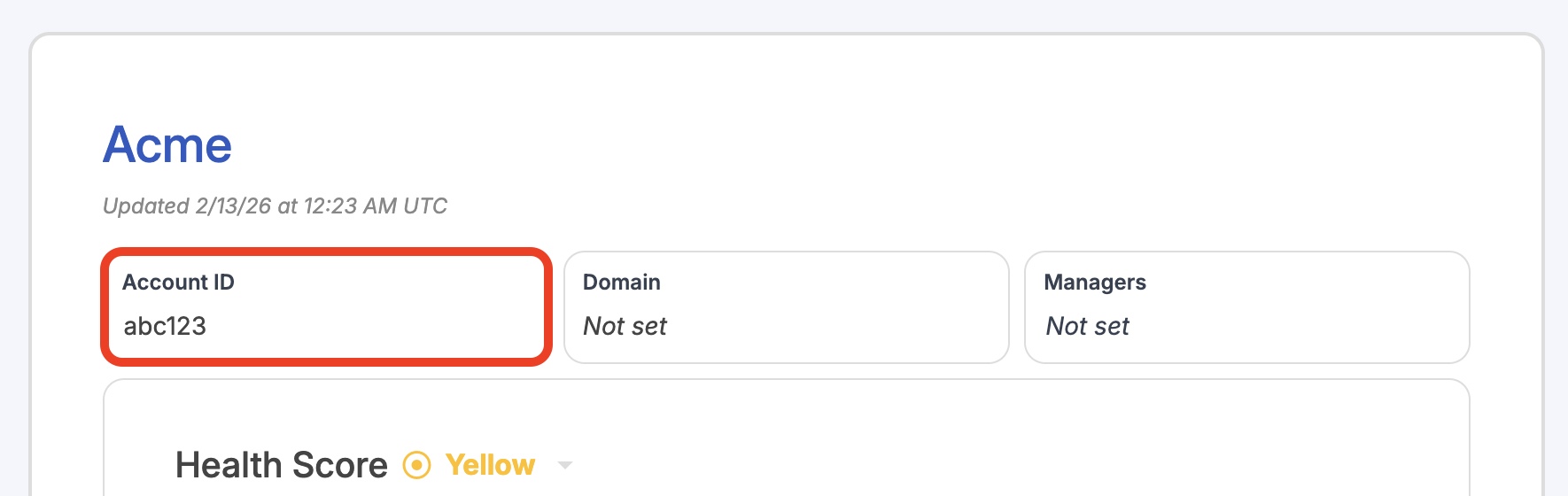
-
domain– The customer's domain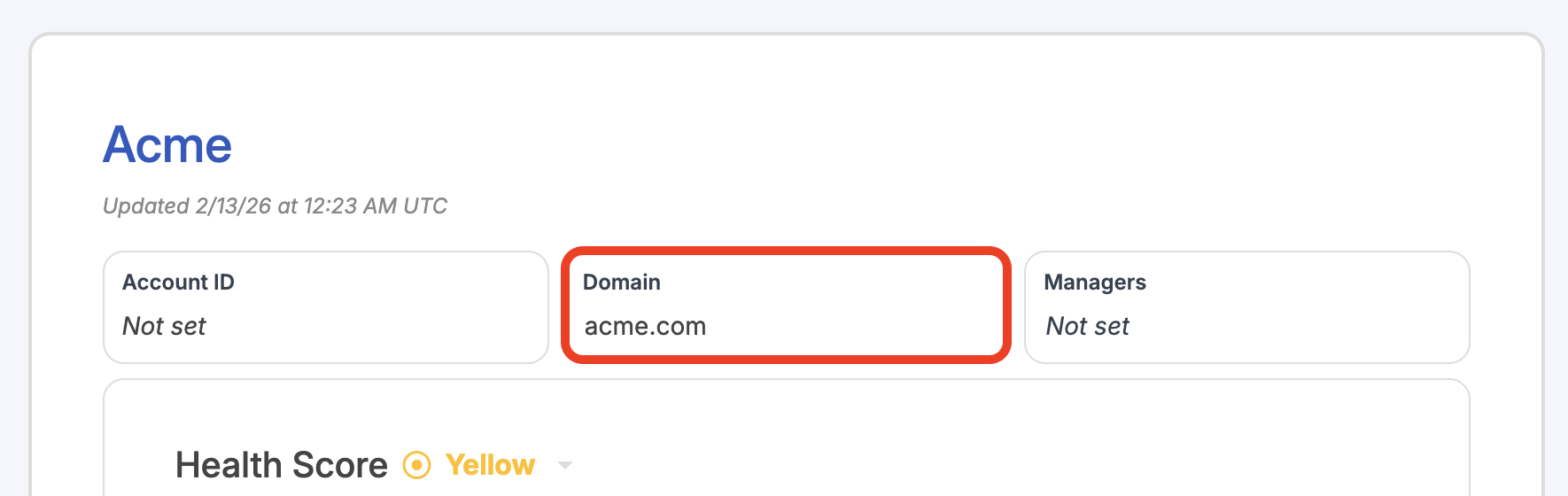
-
slug– The Aluvi Quick Reference Name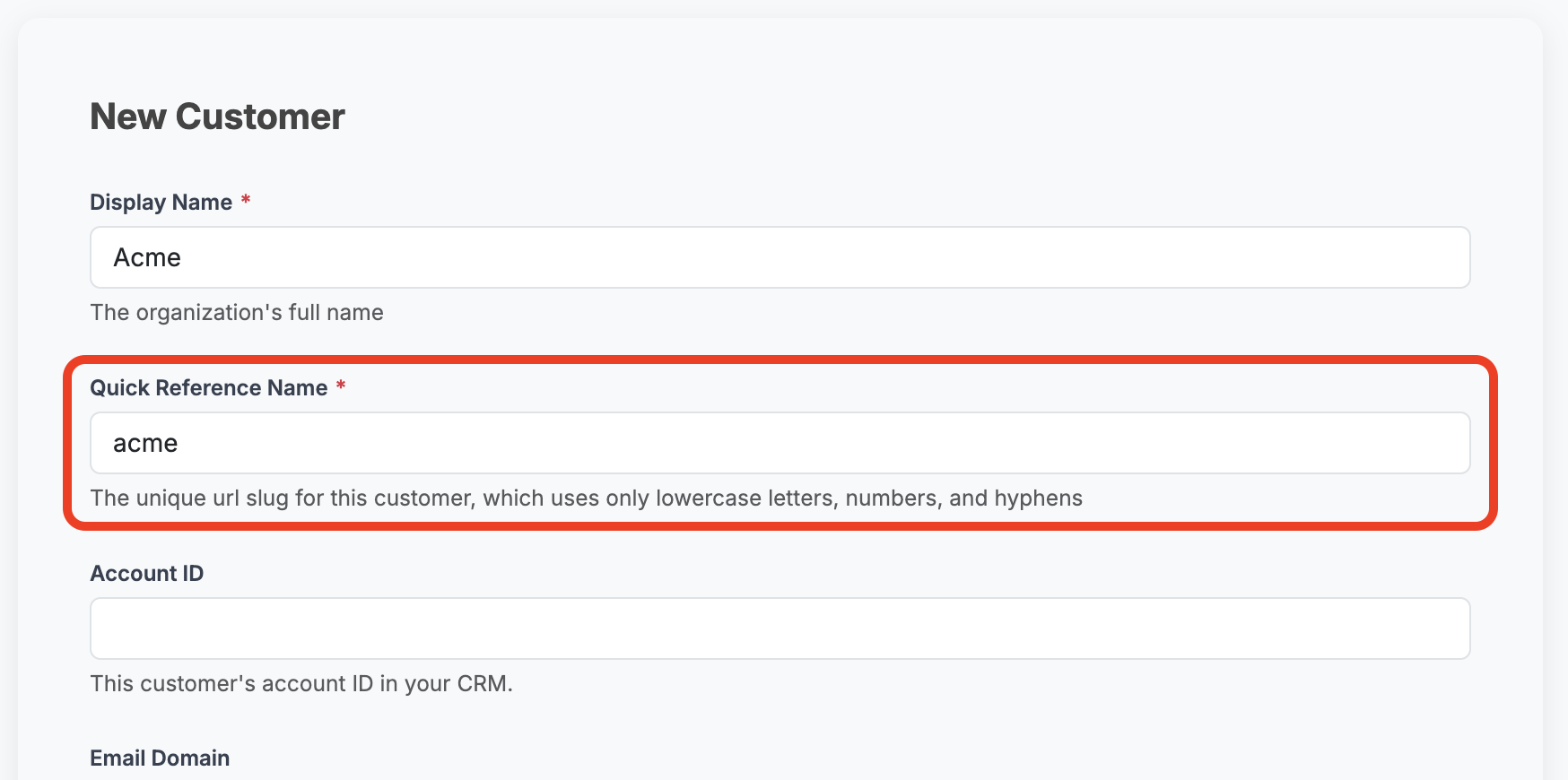
The first matched field will identify the customer and values in the other customer ID fields will be discarded.
Additional Customer Matching Options
Emails can be matched by the sender's address (when the sender is your customer).
Call transcripts can be matched by the participants on the call, supporting simple integrations from call recorders that may not be aware of your customer base.
Requests with no identifying information provided are rejected when posted. Requests with identifiers that cannot be mapped to one of your customers will be silently dropped when processed (Aluvi Support will be notified).
Document ID
Each document must have a unique identifier. This allows Aluvi to update an existing document if the same doc is posted multiple times.
Creating Unique IDs
If your document does not inherently have a unique ID, we suggest creating one that is easily replicable from fields you do have. For example, the
message-idfor an email could be concatenated from thefrom-address,received-at, andsubjectvalues:[email protected]:30:00Z-Meeting_Followup
Content
All documents must have some content to add to your Aluvi knowledge base.
More Is Always Better
There are only a few required fields for each type of document. However, the more information you provide, the better Aluvi will understand your customers' health.
Fields like an email's
subjector a call transcript'smeeting-titlealso help your users to identify these documents inside the Aluvi platform.
Processing
Successfully posted documents are queued for processing, which under normal circumstances occurs immediately. Accepted documents return a message-id, which you can provide to Aluvi Support if you suspect an error in how your document was processed.
Requests missing required headers, and those with invalid bodies, are rejected immediately.
HTTP/1.1 202 Accepted
Content-Type: application/json

{
    "message-id": "abcdef01-2345-6789-abcd-ef0123456789"
}
HTTP/1.1 400 Bad Request
Content-Type: application/json
{
"message": "Invalid request body"
}Limitations
Request Feedback
Because requests are queued, only basic request structure is verified at the time the request is received. Validation of auth tokens (including validity and expiration) occurs later when the request is processed, along with verification of data in the request body (for example, specifying a customer that does not exist in your account). Requests with these issues are discarded.
You will not receive direct feedback when this occurs; however, Aluvi Support will be notified.
Request Size
The maximum request size is 1 MB. Larger documents should be split into multiple requests, each with a unique ID (for example, "transcript-20260312-1", "transcript-20260312-2", etc).
Examples
POST https://api.aluvi.co/v2/documents/emails HTTP/1.1
Authorization: {{your auth token}}
Content-Type: application/json

{
    "message-id":   "email123",
    "received-at":  "2026-03-01T10:30:00Z",
    "from-address": "[email protected]",
    "subject":      "Meeting Followup",
    "body":         "That was a great meeting we had earlier..."
}
POST https://api.aluvi.co/v2/documents/notes HTTP/1.1
Authorization: {{your auth token}}
Content-Type: application/json
{
"slug": "acme",
"note-id": "note123",
"note-time": "2026-03-01T10:30:00ZZ",
"author": "[email protected]",
"title": "Important Note on Acme",
"content": "They are a churn risk because...",
"original-source": "HubSpot"
}POST https://api.aluvi.co/v2/documents/transcripts HTTP/1.1
Authorization: {{your auth token}}
Content-Type: application/json
{
"meeting-id": "meeting123",
"meeting-time": "2026-02-21T10:30:00Z",
"meeting-title": "Meeting w/ Fred @ Acme",
"participants": [ "[email protected]", "[email protected]" ],
"content": "Hello, Fred! How are you?...",
"meeting-source": "Zoom",
"recorder-source": "Granola"
}